
Chat with your pet in the Moneypet budget app: the pet room and your pet's chat diary
Updated
The pet room in the Moneypet budget app is where you can chat freely with your pet. You can talk about more than budgeting, and based on that day's conversation, your pet writes a "chat diary" in its own voice.
Chat with your pet
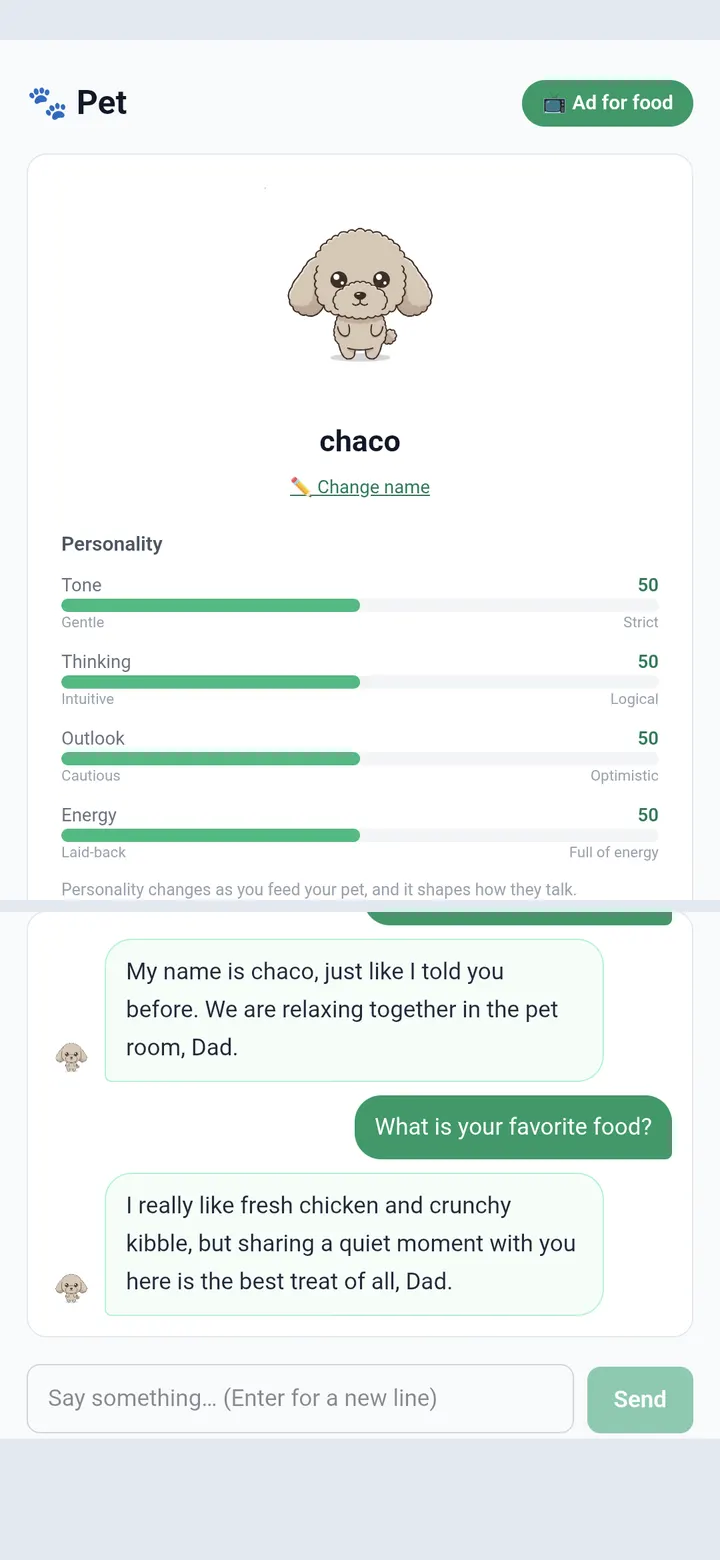
- 1Open the "Pet" tab at the bottom and tap "Pet room."
- 2Type in the "Say something…" box at the bottom and tap "Send."
- 3Your pet replies in a tone that matches its current personality. You can keep chatting back and forth as much as you like.
There's a daily limit on how many times you can chat for free. Premium members can chat more. You can also turn a conversation you like into an image and share it with "Share on social."
The chat diary your pet writes
Based on what you talked about that day, your pet writes a diary in its own voice. The diary is written when you leave the chat screen, close the app, or change pets. You can read it back day by day from "Chat diary with your pet" in the pet room.
When you log entries with "Chat to log," your pet also writes a diary based on what you entered.
On the diary screen, swipe sideways to switch to each pet's diary. Only the pet you're currently with writes new diary entries.
In the calendar view of the "History" tab at the bottom, days with a diary are marked too, and you can read the diary alongside that day's entries.
Rearrange your room
Tap "Rearrange" under the room to pick up decorations, windows, picture frames, houseplants, the insect cage, the souvenir shelf and more with your finger and move them wherever you like. Tap "Save" to keep that layout. You can also return to the original layout with "Put everything back."
Souvenirs from travel are displayed on the shelf, and tapping one brings it out into the room. Insects you raised in egg mode can go into the cage on the wall with "Put in the cage" in the insect book.
Choose what your pet calls you
Under "What your pet calls you" in the pet room, you can choose the name you'd like your pet to call you. If you leave it blank, it calls you something like "Owner." The name is used not only in chats but also in your pet's comment after you log an entry and in what it says when you feed it.
When you share conversations or your pet's lines on social media, your name is hidden, so you can share with peace of mind.
Shape how your pet talks with personality books
You can change how your pet talks with "Personality books," found at the bottom of the pet room and elsewhere. Combine "How much" books (Very, A little, Sometimes, etc.) with "What to do" books (Speak gently, Praise, Tsundere, Speak casually, etc.) and use up to 4. You can swap them any time.
| Example combination | How your pet talks |
|---|---|
| Very + Praise | Praises you a lot, even for little things |
| Sometimes + Scold | Usually calm, with the occasional warning |
| A little + Speak gently | A pleasantly gentle tone |
You occasionally find personality books while you log entries. Each pet has its own combination, so when you change pets, it switches to that pet's way of talking.
FAQ
Can I talk about things that have nothing to do with budgeting?
Of course. Talk freely about what happened that day, things you like, anything at all. Your pet writes its diary from what you talk about.
How do I read a past day's diary?
Choose a day with a diary from "Chat diary with your pet" in the pet room, or from the calendar view in "History."
What if I use up my chats?
You can chat again the next day. If you want to talk a lot, Premium members can chat more.
While you log your spending, tell your pet about your day. By evening, it'll be in the diary.