
How to play travel mode: your pet tours world landmarks with food
Updated
In travel mode, your pet travels the world using the food you earn by budgeting. It gathers items, sets off to explore landmarks, and when it comes back, a picture of the scenery is added to the book. Sometimes letters and souvenirs arrive from its travels, too.
The travel screen
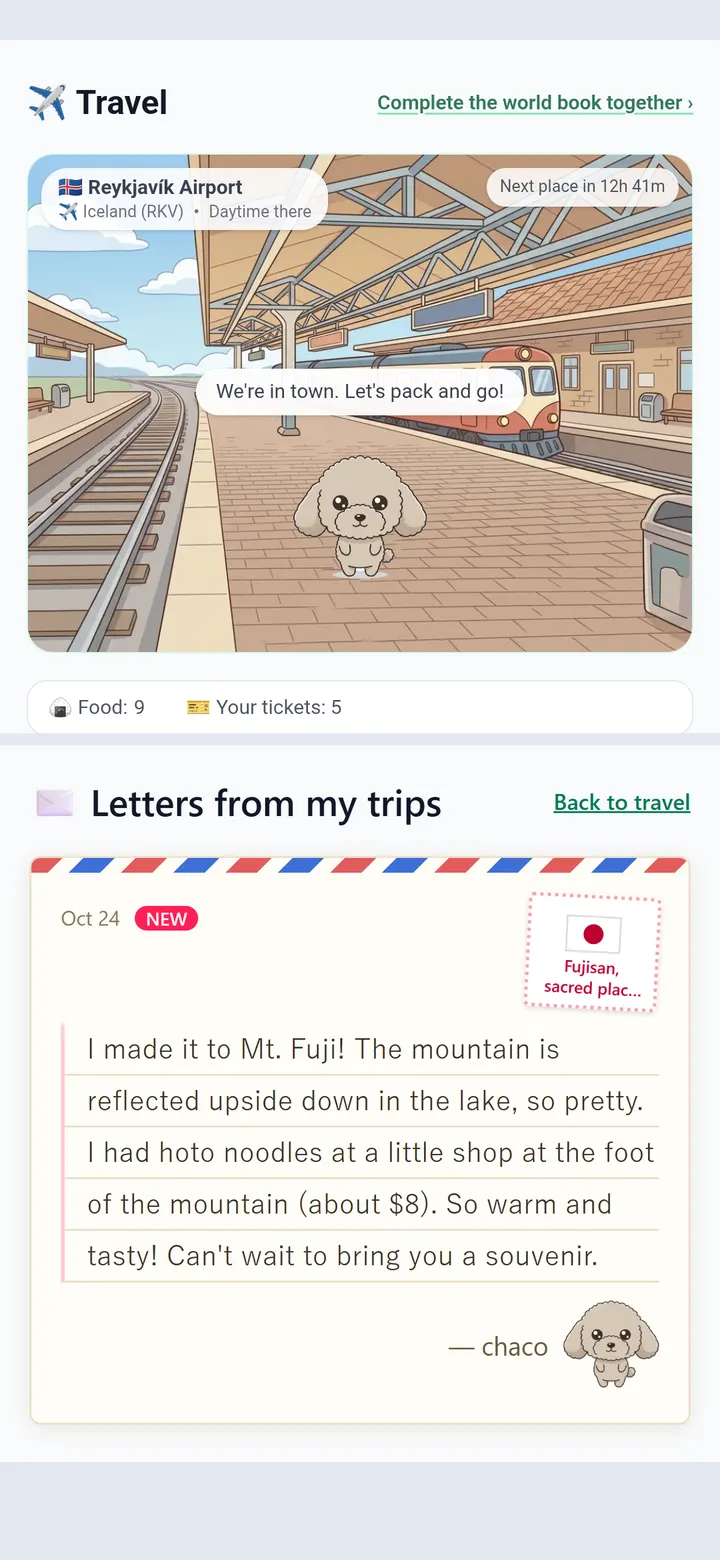
Start traveling from "Go traveling" in the "Pet" tab at the bottom. The airport or port your pet is at changes every 24 hours, and the time until it moves to the next place is shown at the top right.
How to explore a landmark
- 1Gather travel items with "Look for items." You can look for items once every 12 hours. Give 1 food to double the number found.
- 2Once you have 5 items, tap "Head out nearby" for 1 food.
- 3Your pet sets off to explore with the 5 items and some food.
- 46 hours later, your pet comes back, and a picture of the landmark it visited is added to the book.
Where it goes is a surprise until it returns. Packing 2 or more of the same item makes it more likely to visit that kind of landmark (mountains, waterfronts, castles and so on). If nobody has been to that landmark yet, you're its first discoverer.
To go to a different airport or port, tap "Travel" on the travel screen to use food and move to a nearby one.
Letters from your pet's travels
Your pet sometimes sends letters from the road. Read them on stationery from the letter button next to the travel heading (unread letters are shown with a red dot). You can share each letter on social media with its "Share" button.
Set a name under "Letter addressee" at the bottom of the travel screen, and letters will start with "Dear (name)." The addressee isn't shown when you share on social media.
Collect souvenirs
Your pet sometimes brings back souvenirs from exploring. You can display them on the shelf in the pet room, and see every souvenir you've collected under "Travel souvenirs" below the book on the travel screen. The first person in Moneypet to bring back a souvenir can register their name on that landmark's page in the book.
The map and the book
Tap the map on the travel screen to enlarge it. Zoom in further with + and − at the bottom right or by spreading two fingers, and tap a marker to see the place's name and country.
The landmark book (the link at the top right of the travel screen) is something everyone around the world completes together. Swipe sideways to switch between regions. Airports and ports you've been to are listed at the very bottom of the book.
The scenery pictures in the book are made with AI, so they may differ from the real places.
FAQ
How do I know when my pet is back from exploring?
In the app, you get a notification when you can look for items again, when your pet returns from exploring, and when a letter arrives. Turn them on or off at the very bottom of the travel screen, where you can also set quiet hours at night.
How do I turn off travel mode?
You can turn off travel mode under "Game mode" in Settings. When it's off, "Go traveling" no longer appears on the Pet screen. You can turn it back on any time.
Are there special places or rare souvenirs?
To keep the fun of discovery, some places and souvenirs don't have their conditions written down. Try lots of different items and destinations.
Use the food you earn from logging to tour the world's landmarks with your pet.