
Raise your pet in the Moneypet budget app: earn food by logging, then shape and evolve it
Updated
In the Moneypet budget app, every time you log something, your pet says a few words and you get "food." Feeding your pet gradually changes its personality, and when a trait swings all the way to one side, it can evolve into a new form.
Log an entry, get a comment and food
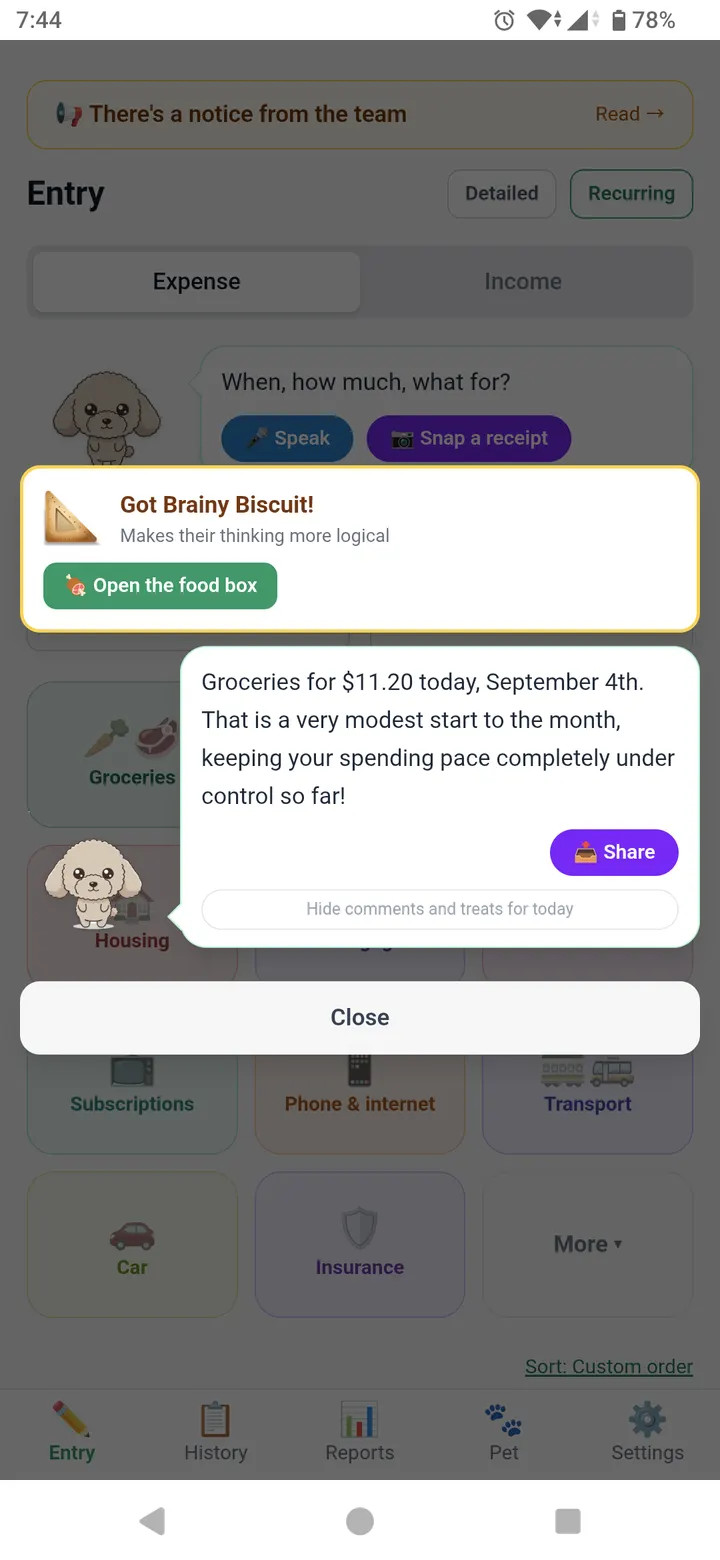
Enter an amount and tap a category, and your pet comments on that entry while the food you got appears at the top of the screen. The food notice also tells you how that food will change your pet's personality (for example, "Makes their thinking more logical").
There's a daily limit on the food you can get. Even after you reach it, you can log as many entries as you like, and your pet keeps commenting up to its own limit.
Didn't spend anything? Tap "No spending today"
Tap "No spending today" on the Entry screen to save the rest of that day's food in your stock. You get food from your stock when you log beyond the daily limit on another day, import entries in bulk, or when recurring entries like rent or your paycheck are added.
On days you don't spend anything, tap "No spending today" so your food doesn't go to waste. If you make a habit of opening the budget app every day and tapping it first thing, you'll never waste a chance to build up your food stock.
Feed your pet to shape its personality
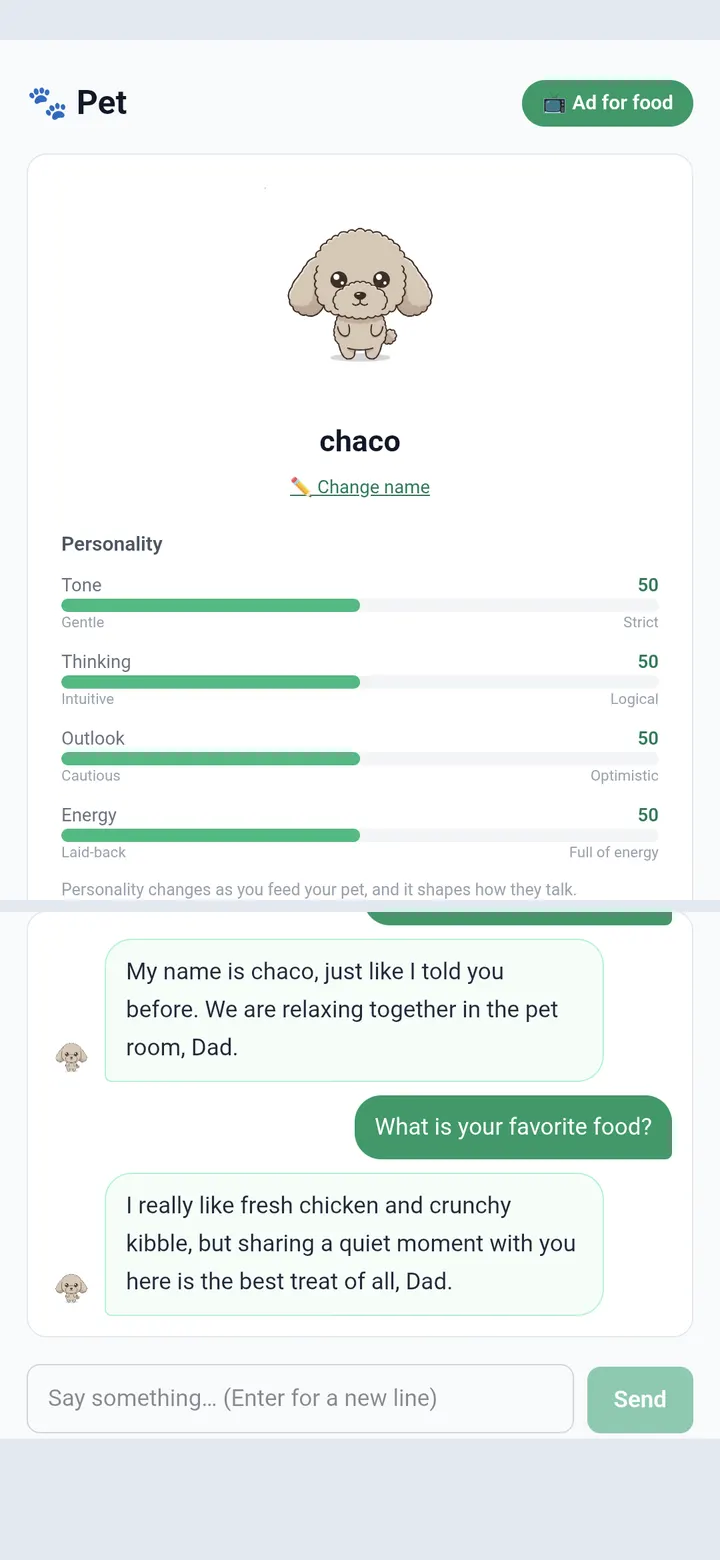
- 1Open the "Pet" tab at the bottom and tap "Feed your pet."
- 2Choose which food to give from the food you have.
- 3The personality meters move a little, depending on the kind of food.
| Trait | One side | Other side |
|---|---|---|
| Tone | Gentle | Strict |
| Thinking | Intuitive | Logical |
| Outlook | Cautious | Optimistic |
| Energy | Laid-back | Full of energy |
Personality becomes the way your pet talks. For the same entry, a gentle pet encourages you softly while a strict one gives you a firm warning, so the way it comments changes over time.
Push a personality value to the extreme to evolve
When any of the four traits reaches 15 or below, or 85 or above, your pet can evolve into a form that matches that trait. You can go back to any form you've taken at any time with "Return to a form you've taken" on the Feed screen. The trait values at that time are remembered for each form, too.
Very rarely, you'll get rare special food when you earn food. Eating one special food lets your pet evolve into a special form (once each per pet).
The forms you've unlocked are lined up under "View the collection" on the Pet screen. Tap a form to see it up close and read its description. Forms you haven't unlocked yet show as "???".
Tip: On the Feed screen, you can put the personality back to how it started (all traits at 50) with "Reset to the start." If you want a pet that has already evolved to head toward the opposite end, it's quicker to reset to 50 first and then feed it.
Friendship
A heart meter under your pet's name shows its "Friendship." It goes up when you take care of your pet: feeding it, tapping its picture to pet it, going traveling or egg hunting, or talking in the pet room. It doesn't go down on days you don't visit.
With high friendship, your pet talks in a more affectionate, trusting way. If you prefer a bit more distance, you can lower it yourself with "Lower friendship" under the meter.
Ways to get food
- Log entries (by hand, by voice, from a receipt, with Chat to log and more)
- Import entries in bulk
- Share things like your pet's comments on social media
- Get "likes" on Everyone's pets or on a budget book you've published
- Publish both your actuals and your budget to Everyone's books
- Open the Travel mode or Egg mode screen
Each has its own daily limit. See the full list under "How to get food" in Settings (you can also open it from the Pet screen).
Change pets or use it without a pet
Use "Change pet" on the Pet screen to switch between the dog, the cat, other official characters and characters you've made yourself.
If you just want the budgeting features, turn off "Use characters" on the Pet screen. Even if you chose "Just use the budget" when you first opened the app, you can switch to using a pet later.
FAQ
What happens to my pet's personality and forms if I change pets?
On the free plan, changing pets means saying goodbye to your current one: the forms you collected leave the collection, and you raise the new pet from scratch. Premium members can change pets as often as they like without losing anything. Either way, your budget records are never deleted.
Can I turn off comments and food for a day?
Tap "Hide comments and treats for today" under the comment after logging, and comments and food won't be shown for the rest of that day. You still get the food even while it isn't shown. Use it when you want to log a lot of entries in a row. If you want comments back, tap the notice that appears on the Entry screen. Everything turns back on automatically the next day (this setting applies only to that device).
What does the kind of food change?
Each food moves one of the four traits in a set direction (there are 8 kinds of food). It's written in the food notice and on the Feed screen, so you can choose food to match the personality you want.
Your pet grows a little with every entry. Log your first one and get some food.