
Use the Moneypet budget app as a pocket money tracker: for kids, students and adults
Updated
The Moneypet budget app works as a pocket money tracker as well as a household budget. It's great for managing a child's allowance, a student's money from home or part-time job, or your own spending money as an adult on an allowance.
Set it up as a pocket money tracker
- Choose "Allowance" as your purpose in "Basic settings" in Settings. Your pet will then talk about it as a pocket money tracker rather than a household budget, and AI advice will ask about your "monthly allowance" instead of household income.
- When you use "💬 Chat to Set Budget" on the Budget screen, it first asks whether you'll use it for household finances or personal pocket money. Choose "Pocket Money."
How to log pocket money
- 1When you receive your allowance, choose "Income" at the top of the Entry screen and log it under the "Pocket money" category.
- 2When you spend, leave it on "Expense," enter the amount and tap a category button. That's all.
- 3If you get your allowance on the same day every month, add it under "Recurring" and it's entered automatically every month.
Under "Categories" or "Sub-categories" in Settings, you can add names that fit you, like Snacks, Games or Concerts, and hide the ones you don't use.
Your pet and food make it feel like a game, so it's easy to keep going
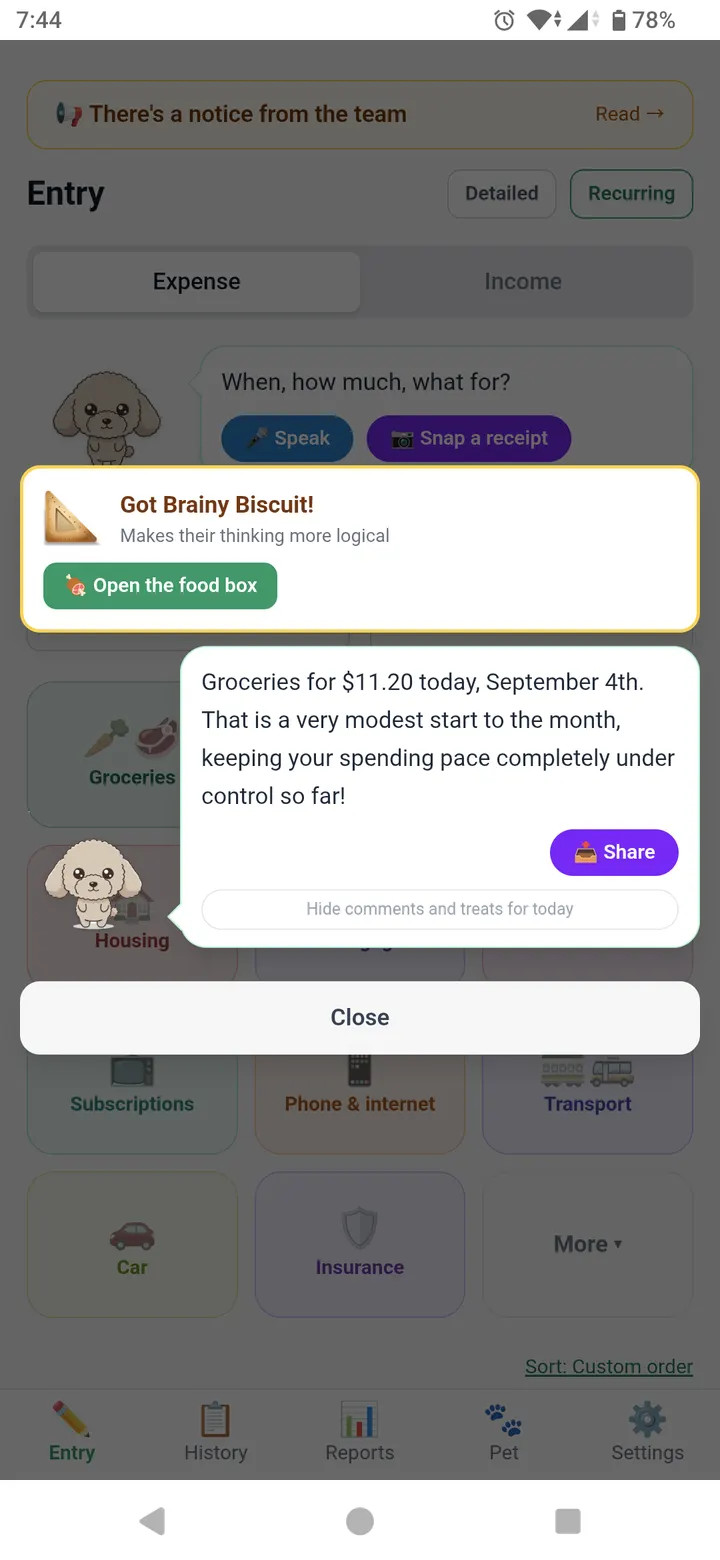
Every time you log something, your pet comments and you get food you can feed it. Feeding your pet gradually changes its personality, and it may even evolve. Because logging helps your pet grow, even kids who aren't good at tracking money can keep going as if it were a game.
Besides Quick entry, where you just enter an amount and tap a category, you can also use voice entry and simply say something like "Snacks $3."
For parents keeping an eye on things
When a parent and child join the same family group (Settings → Family sharing), the parent can see the child's entries and reports too. Uncheck the child under "Members included in the total" in the family report to keep their money out of the household total.
However, entries the child marks "Hide from family" aren't visible to parents. Talk it over as a family and decide how much you'll share with each other.
Minors need a parent's or guardian's consent to use the Moneypet budget app. Please also get their consent before buying any paid features.
FAQ
Can I make a budget as a pocket money tracker?
Yes. If you choose "Pocket Money" when setting a budget by chat, it won't ask about your household size. You just pick the categories you usually use and set amounts.
Can I switch from a household budget to a pocket money tracker partway through?
Yes. Just change your purpose in Basic settings from household budget to allowance. All your records stay as they are.
With your pet by your side, tracking pocket money is fun to keep up.